Digital business card
A great introduction. Ready to share.
A NILO digital business card brings your name, role, and public contact details together. Share it by link or QR code so a new connection can download your details without installing an app.

Maya Chen
Designer, maker & curious human.
Independent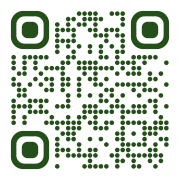
- A shareable contact page
- QR code sharing
- Downloadable contact details
From hello to saved contact.
Share the card link or let someone scan your QR code. They can open your contact page and download your public details as a vCard for their address book.
- Your own card address
- A QR code for your published card
- A contact download people choose to save
Share the details you choose.
Use your profile details to decide what appears publicly. Show your email or phone when it helps people connect, and leave either hidden when you prefer.
- Public email and phone controls
- Your role, company, and introduction
- A card and page connected to the same identity
Keep the introduction current.
New role? New website? Update and publish your details without replacing the card address. You can also create named share targets and change where those targets lead.
- Update information from your workspace
- Preview your card and contact page
- Download a share image or offline contact QR
A few steps. A whole new possibility.
Add your details
Introduce yourself with a name, role, photo, and the contact details you want to share.
Publish your profile
Review your public information and publish it.
Share your card
Open Digital card in your workspace to share its link or QR code.
A few things you might be wondering.
Do I need to order a physical card?
No. The digital card works through its link and QR code. Physical card ordering is not available in NILO.
What details go into the contact download?
NILO uses your profile information and includes contact details only when you choose to make them public. Review the visibility controls in your profile details before publishing.
Can I use the same profile for my link in bio?
Yes. Your digital card and link-in-bio page use the same profile identity, so you can manage both from one workspace.
Can I see contact saves?
The Insights view includes a count of vCard downloads. A download records an action on your page; it does not confirm that someone saved the file to their address book.
A few more things you can do.
Link in bio
NILO puts your links, videos, social content, and work on a link-in-bio page you can make your own. Share one address from Instagram, TikTok, YouTube, or anywhere people find you.
Explore link in bioShort links & QR codes
NILO’s URL shortener gives a long destination a shorter address. Organize links and dynamic QR codes, change where they lead, and review their activity without publishing a profile.
Explore short links & qr codesContact forms
A question, a project, a collaboration. Give people a simple way to start the conversation, and keep the details together in your NILO workspace.
Explore contact forms